
EN RU
Log in
Home
Download
Purchase
Documentation
Support
Contact us
 
Help  /  Command Reference  /  Files

Restore Backup Files

Restores files saved with the command Backup files.

Description
Optionally, you may add comments here describing the purpose of this element.

Filename or Wildcard
You may specify the name or wildcard of files to be restored. If you specify 0 then files selected in the dialog box Dialog - Backup will be restored.

*.*
*.dat 

If Condition
You can specify a condition that should be met for the action to be performed. If the condition is false then the command is skipped. See How to use If Condition for more details.
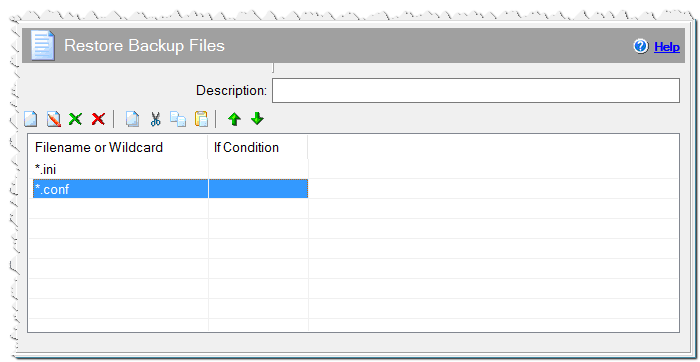
Restore Backup Files command

Comment
You can add a comment for this setting here.

See also

  • Backup files
Eonza automation software - free, open source cross-platform program for easy creation and management of scripts.
  • Command Reference
    • Application
    • Dialogs
    • Files
      • Backup files
      • Calculate hash
      • Copy Files List
      • Decompress 7z file
      • Decompress ZIP file
      • Share & Permission
      • Temporary Files
      • Copy files
      • Create Folders
      • Decompress CAB file
      • Delete Files
      • Embedded files
      • Get File Information
      • Installation Files
      • Rename file or folder
      • Replace within files
      • Restore Backup Files
      • Search Files & Folders
      • Set File Attributes
      • Decompress Files
      • Wow64Redirection
    • Internet
    • Messages & Sound
    • Programming
    • Register DLL & Fonts
    • Registry & INI
    • System
    • Text Files
    • Uninstaller
    • Variables
Copyright © Novostrim, OOO, 2009-2026 All rights reserved.